


Flux


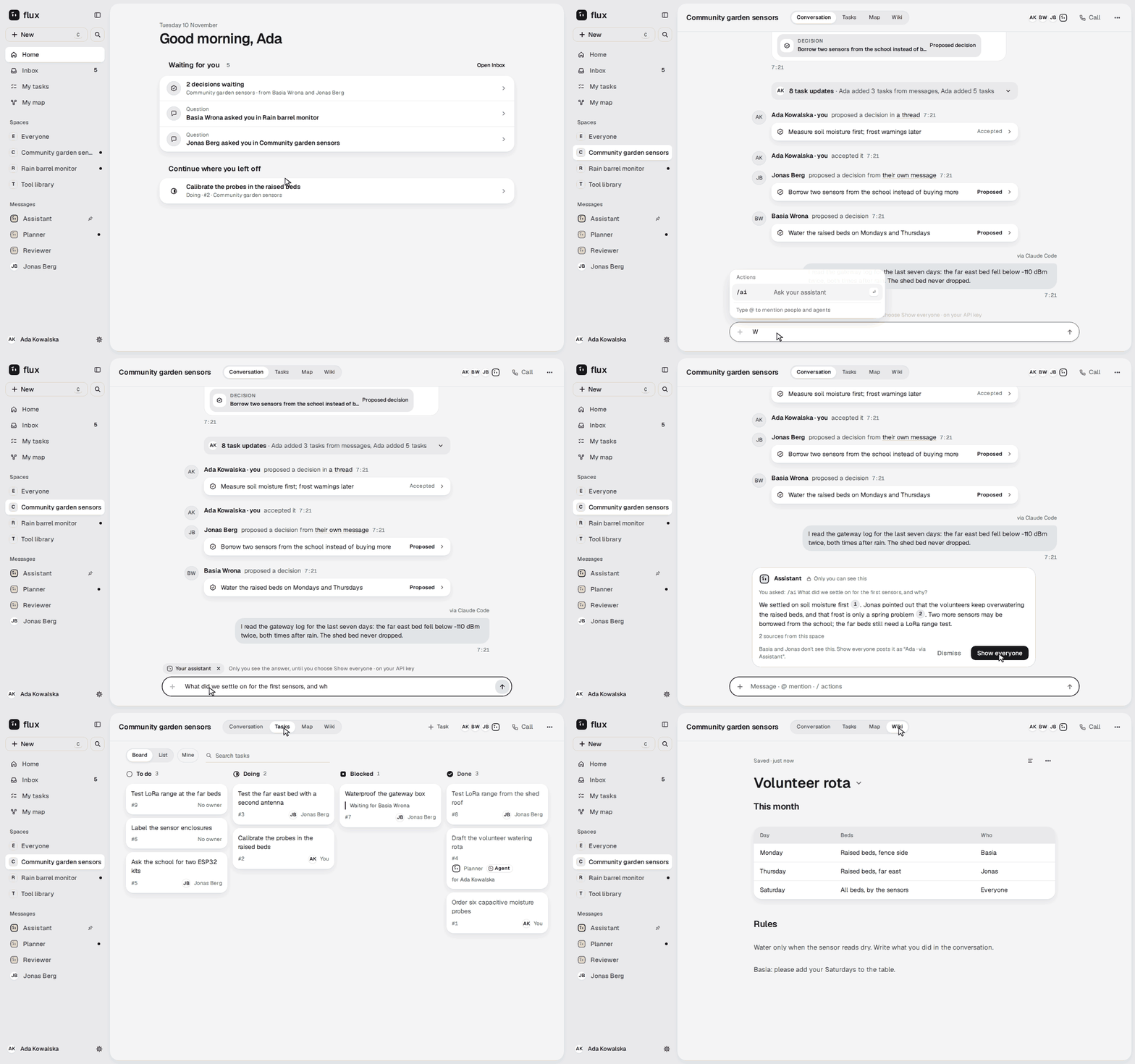
A space on a 1440 px desktop and on a 390 px phone, in your light or dark theme, captured from the
running application on the fictional ./flux demo data. The recording of the running app
walks the same journey (how these were made).
Highlights
Section titled “Highlights”- Conversations that turn into work. One action makes a message a task or a decision with its reason, and each stays linked to the message it came from.
- One company, many spaces. The first account, from the setup link
./flux upprints, sets up the company and its default space, Everyone. Everything else happens in spaces, and you see only the spaces you were added to. Each space has its own AI switch, and can be encrypted. - Simple AI: everything is an agent. Connect AI once (a Claude plan, a ChatGPT plan or an API
key). You get an Assistant and can add more agents, each with its own instructions, model and
memory.
/aianswers privately in any conversation, an agent can take a task, and you can schedule one by asking. An agent searches the web and reads pages, and lists what it used. - An agent has your rights, no more. Each agent has one switch, Ask me first: off, it does the work and tells you; on, every change waits for your OK. Deleting and other people’s things always wait for your OK in the Inbox, and every change has Undo.
- Your own Claude Code or Codex. Sign in with one click and the client acts with your rights, on your computer, with your own model account. Flux never sees it.
- What needs you, in one place. The Inbox holds what waits for you: questions, tasks handed back, and changes an agent asks you to approve. Home shows its top three.
- Wiki and Map. Pages you edit where you read them, with versions saved by themselves, and maps of connected thoughts, plus My map, your own private one.
- Everywhere you are. One calm design on the computer and the phone, installable as a PWA, with Web Push notifications.
- Yours to run. One Docker Compose stack started with
./flux up, with backups, restore, export, upgrades, single sign-on and encrypted spaces, on a small server (2 cores and 4 GB is the recommended size).
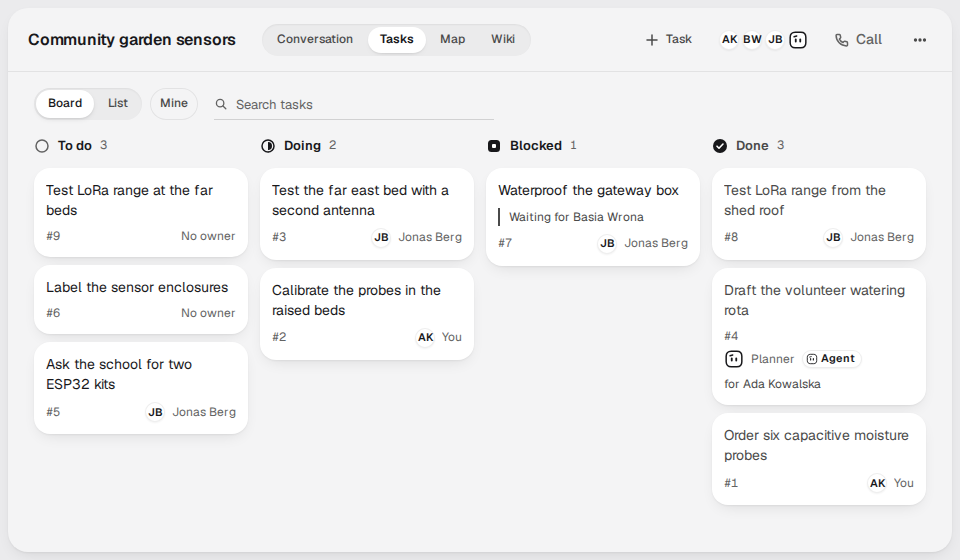 A message becomes a task. A task keeps the message it came from, and the board says who has it: a person, an agent or nobody yet. |
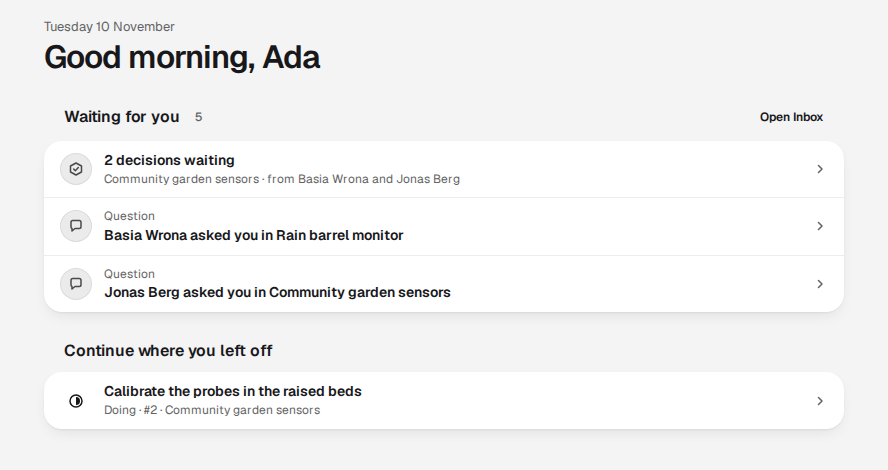 What needs you, in one place. Home shows the top of your Inbox and the next step where you left off. |
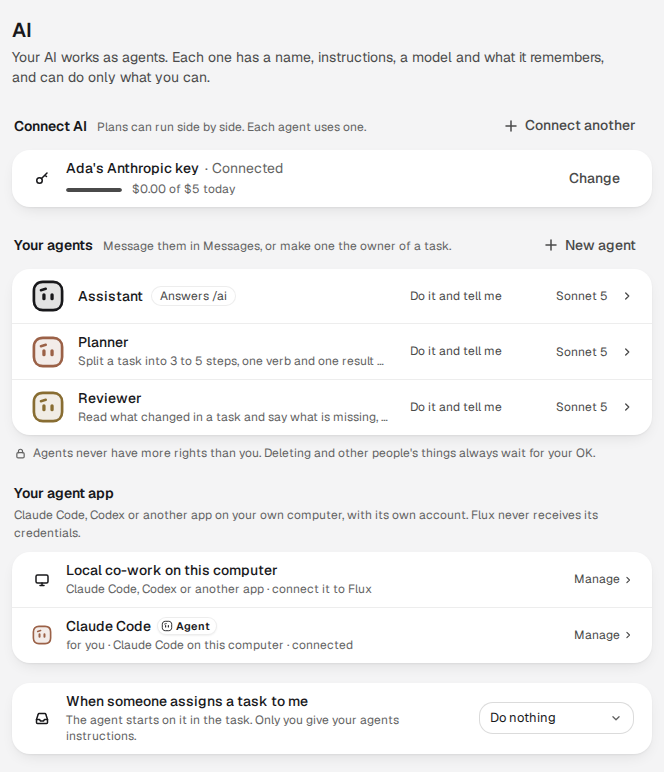 Everything is an agent. Connect AI once and you get an Assistant; add more agents, and connect your own Claude Code or Codex. |
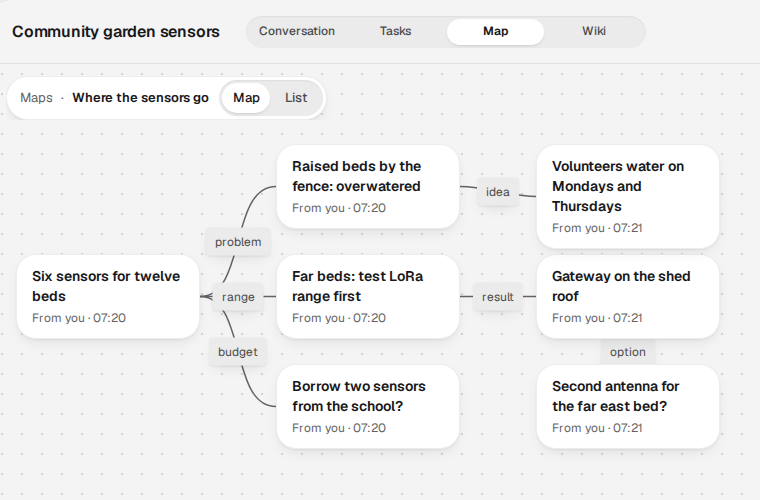 A Map for thinking out loud. Thoughts link to each other, and nothing on a Map has to become a task. |
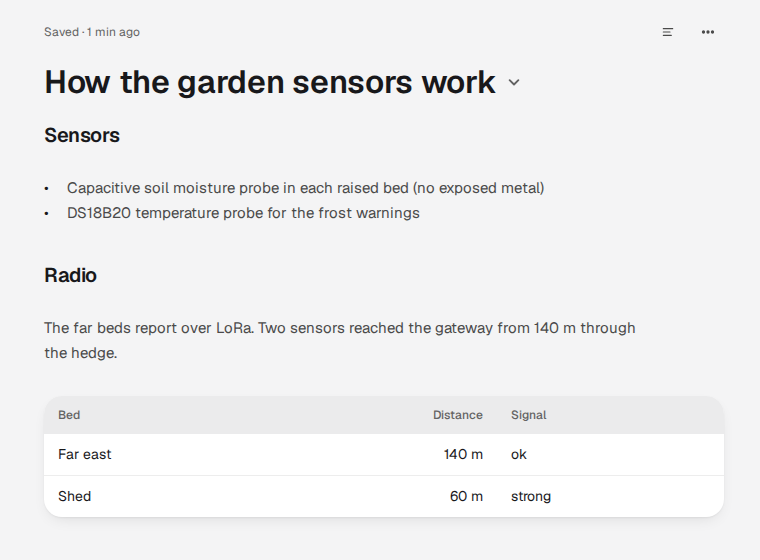 A Wiki you edit where you read. Pages of the space, with versions saved by themselves. |
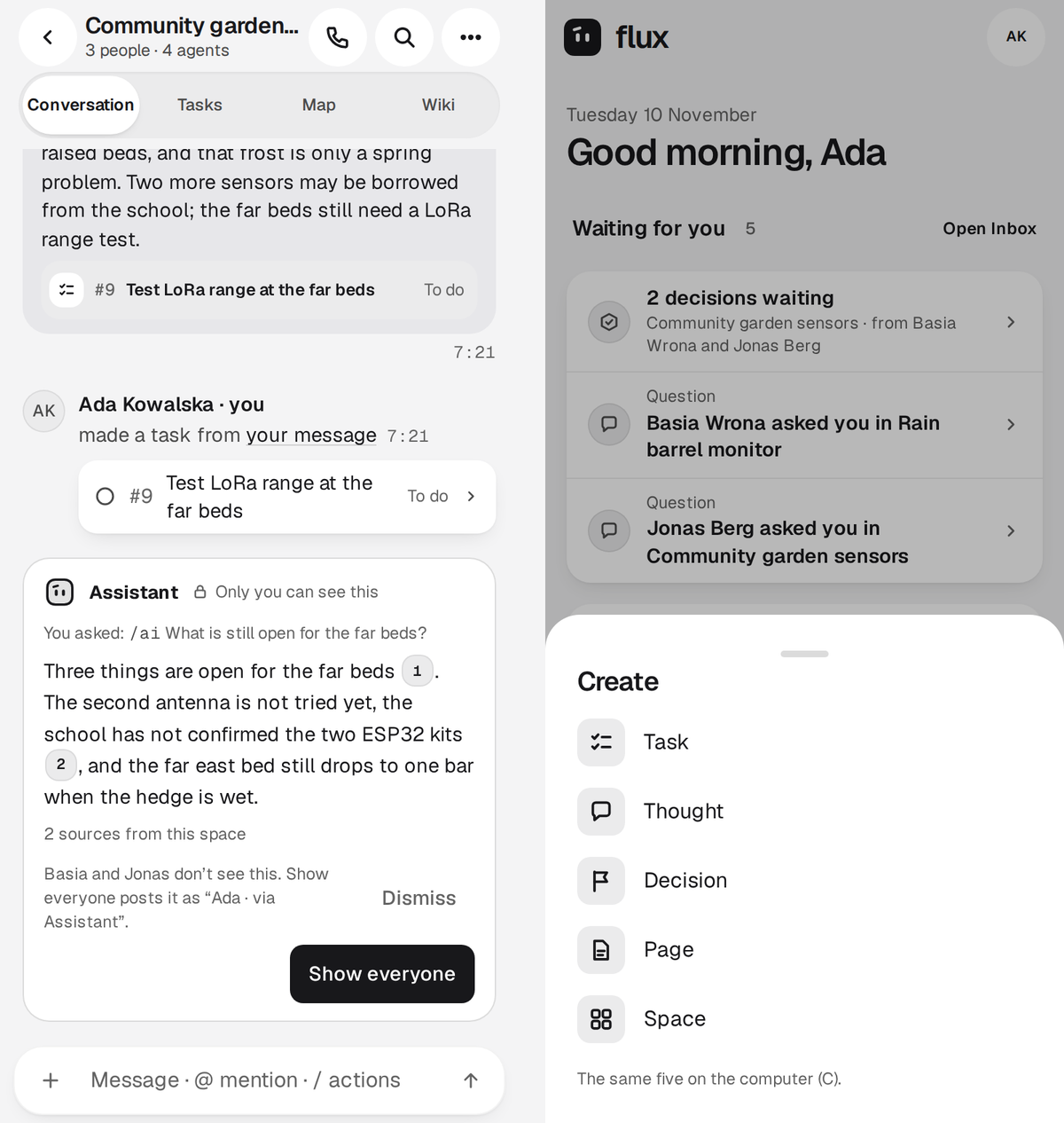 Everywhere you are. The same space on a 390 px phone, and the + that makes a task, thought, decision, page or space; installable as a PWA. |
Captured from the running application on the same ./flux demo data
(how these were made).
Why Flux
Section titled “Why Flux”| Instead of | Flux gives you |
|---|---|
| A chat where decisions scroll away | Decisions and tasks made from messages, linked back to them, and an Inbox that tells you what needs you |
| A separate tracker, wiki and whiteboard | A space’s conversation, tasks, Wiki and Map in one place, with one search |
| Agents that see everything, or nothing | Each agent has exactly its owner’s rights, in spaces where AI is on; deleting and other people’s things wait for the owner’s OK |
| A hosted service holding your team’s work | Your server, your database, open formats: project export is JSON plus files |
Flux is open source under the AGPL-3.0. Its public API types and SDK are Apache-2.0, so agents and integrations can use them freely (licensing).
Project status
Section titled “Project status”Flux v0.2 is the current version, and this page describes it. It is an early version: its
security was reviewed by an agent that did not write the code, and an external human audit is still
planned, so keep backups from the start. The
v0.2 release notes say what is in it and what is not. The
first published version, v0.1.0, had no
users, so v0.2 does not upgrade it: install v0.2 fresh (upgrade guide).
The image (ghcr.io/coldphase/flux) is built for linux/amd64 only; linux/arm64 is planned for
v0.3 (#833). There is one way to install it, on
your computer or a server: the quick start below, then the installation guide
for a server on your domain.
What comes next is tracked in the milestones.
The application follows one design for the computer and the phone, the final design “Prostota”. Its screens and guidelines are the reference for every UI change.